Where To Get An Invoice From Airbnb For Your Stay
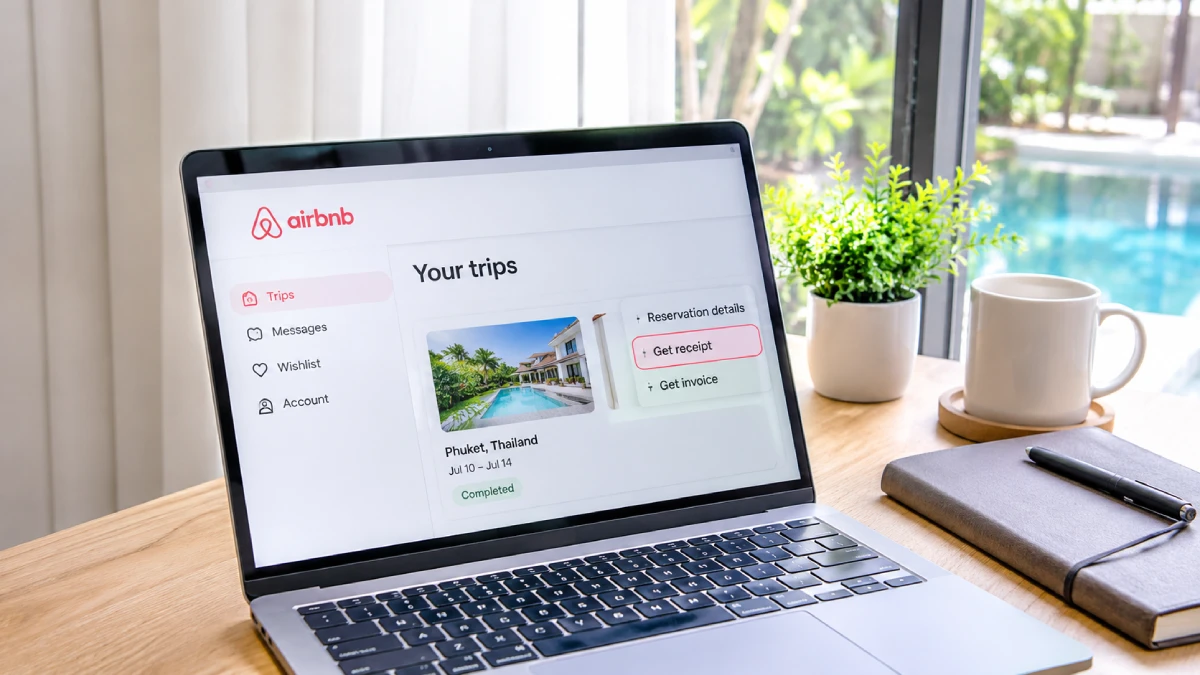
Finding an Airbnb invoice starts with choosing the document you need. Your booking receipt records the reservation payment, while a VAT invoice concerns tax assessed on Airbnb's service fee where applicable.
Those documents can serve different purposes when you submit travel expenses or review a Phuket rental's records. Sending the wrong one may leave an employer or property accountant without the information they requested.
Start with the reservation's payment information, then identify any additional paperwork required from the host. Download the relevant record and check its issuer before filing it. The document type comes first.
Open Trips, select your Airbnb reservation, then use Payment info and Get receipt to find your booking document. Where applicable, the receipt links to a service-fee VAT invoice. For additional accommodation paperwork, ask the host what they can provide. Hosts use reservation details or account tax documents for their own invoices.
Table Of Contents8 Sections ·
Where To Get An Invoice From Airbnb And Which To Use
An invoice identifies the issuer and the charge being documented, while a payment receipt records a transaction. In Airbnb's account tools, different records answer different questions about the same reservation. The workflow below separates guest retrieval from host recordkeeping. Use it to find the right file without treating every document associated with a booking as interchangeable.
Choose The Document Before Searching
Identify who requested the paperwork and what they need it to show. Compare that request with the document categories below. Choose the record that answers the request before opening unrelated account sections.
| Record | Purpose | Starting Point |
|---|---|---|
| Guest booking receipt | Reservation payment details | Trips and payment information |
| Service-fee VAT invoice | Applicable tax on Airbnb's fee | Receipt link or host tax documents |
| Host earnings report | Hosting income and deductions | Earnings dashboard |
| Additional accommodation paperwork | Specific information requested about the stay | Ask the accommodation host |
A platform fee is only one component of the reservation's financial record. Read booking platform earnings explained when separating the channel's charge from accommodation money. Review all-inclusive accommodation charges explained if the booking total contains several charges that need to be understood before you select the relevant paperwork.
Open The Guest Booking Receipt
Sign in to the account holding the reservation and open Trips. Select the relevant stay, then locate its payment information. Use the receipt option and check that the booking matches the paperwork request.
- Completed stay: Open Past trips and choose the reservation.
- Stay details: Select Your stay where that option appears.
- Payment information: Open Get receipt for the relevant transaction.
- Output: Download, print or email the receipt using the available account tools.
Follow The Applicable VAT Invoice Link
Open the receipt and look for its service-fee VAT invoice link where available. Choose the specific payment if the reservation has several transactions. Check the invoice's issuer and charge rather than assuming it covers everything.
VAT means Value Added Tax, and Airbnb's fee documentation has its own tax treatment. The background on VAT collection on reservations can help frame the question you take to an adviser. Confirm the relevant charge and document requirements against your circumstances instead of treating a property location as the only deciding factor.
Retrieve The Host's Account Documents
Switch to the host account and select the reservation whose records you need. For a paid booking, open Earnings and its confirmation details. Use the amount's VAT invoice option where the document is available.
- Current or upcoming reservation: Open it from Today, select the amount, then VAT invoice.
- Bulk invoices: Open Account settings, Taxes, Tax documents and Invoices.
- Monthly selection: Choose the month and CSV or PDF, then download.
An earnings report serves a different review purpose from an individual invoice. Use the monthly owner statement breakdown when connecting reservation records to an owner's reporting period. Match the underlying rental income and expenses to the supporting records, rather than replacing those records with an unexplained monthly total.
Request Additional Accommodation Paperwork
Tell the host which additional document the requesting organisation needs. Provide the reservation reference and required details through the booking conversation. Ask what can be supplied before relying on a particular document being available.
The document request should describe the actual stay and any approved amendments. Check guest count verification if the party details need to be reconciled with the booking record. Consider demand-based nightly adjustments when comparing different quotations, since a later advertised nightly amount is not evidence of what an earlier reservation charged.
Save The Records With Their Payment References
Save each document under the reservation reference and its document category. Keep the original file intact and note any unanswered request separately. Check that another person can identify the relevant booking without relying on your memory.
A booking date, charge date and bank entry do not necessarily describe the same event. Review credit card charge timing when matching guest payment evidence to a transaction. Owners reviewing a transfer can use foreign bank payout considerations to keep the platform record separate from the receiving bank's record.
How Phuket Owners Match Supporting Records
A Phuket property's document file can contain both booking paperwork and operating bills. Supporting records explain the individual charges behind the owner's account, while reconciliation means matching those records to the correct transaction. The checks below concern that evidence trail, not a tax calculation. Use them to identify what the booking document explains and which separate records still need to be collected.
Keep Property Bills Separate From Booking Charges
A guest-facing booking charge and a supplier's operating bill can describe different transactions. Check cleaning payment responsibilities when identifying whether a cleaning amount relates to the reservation or the property's supplier payment. For a condo, condo utility reconciliation records help connect the actual utility bill and billing period with the correct account.
Disputed amounts also need their own evidence trail instead of being folded into the stay total without explanation. Review guest damage payment responsibilities when organising the records associated with a damage request. Use damage deposit verification records to distinguish a documented deposit arrangement from evidence that a payment was actually completed.
Assign Utility Document Checks
Agree who checks utility documents before they reach the owner's file. Discuss property management services for utility reconciliation in phuket when allocating that responsibility. A dated bill, payment reference and recorded allocation make an unexplained charge easier to investigate.
Assign Responsibility For Each Record
The person helping with the listing may handle a different record set from the person maintaining the owner's accounts. Review manager and co-host differences when deciding who collects documents and answers invoice requests. Check the rental management fee breakdown separately when identifying the manager's own charge rather than Airbnb's fee.
A folder of receipts still needs a clear account of the property's financial activity. Use rental profitability factors as wider reading when distinguishing documented booking income from the operating result. The practical document task is to collect the evidence needed for that review without labelling every incoming payment as earnings retained.
Property Record Support To Discuss
Local support arrangements should specify who collects and checks the property's operating evidence. The categories below concern villa financial controls and housekeeping records, rather than authority to issue Airbnb's own documents. Use them to describe the administrative work your property needs. Agree which records are delivered and how missing information is escalated before relying on a monthly reporting routine.
Document Mistakes That Delay The Answer
A document mistake often begins with sending a file before checking the question it must answer. The consequence is another request for missing details, a different issuer or better payment evidence. These checks focus on avoiding that administrative loop. Use them before forwarding the paperwork so the recipient can see what the record proves and what remains unresolved.
- Submitting the wrong document: A payment receipt may not contain the particular invoice information the recipient requested.
- Editing an issued record: Keep the original intact and ask the issuer about the correct next step.
- Confusing guest and host money: A guest charge is not the same record as the host's net payout.
- Losing the reference: A file without its booking connection can be difficult to match to an account entry.
- Assuming regional rules are universal: Check that invoice guidance applies to the document and jurisdiction involved.
Connect Documents To The Wider Owner Workflow
Owners may need broader context after locating the individual booking documents. The related guides below concern the hosting workflow, written management responsibilities and the role of a rent roll. These subjects help place the document task within a working property administration routine. Choose the unresolved question relevant to your situation rather than adding unrelated paperwork to the booking file.
Discuss Your Property Reporting Requirements
A reporting requirement describes the information you need to understand your property's activity. It is more useful when it names the document, the responsible person and the question being answered. Bring those requirements to a property discussion so the arrangement reflects your own recordkeeping needs. Start with a current example of missing or unclear paperwork rather than an unspecified request for better reports.
Questions About Receipts And Account Documents
Some receipt questions concern account settings or later payments rather than finding the original booking file. The answers below address those separate situations using Airbnb's current help guidance. They explain what to check before expecting a changed document or another download. Use the relevant answer alongside your actual account record, since document access and requirements can differ by circumstance.
Can I Change The Name On An Issued Receipt?
Airbnb says an already generated receipt will not update when you later change guest information. Keep the original record and ask the requesting organisation how it wants a name discrepancy explained. A profile edit is not a correction to an issued receipt. Contact Airbnb about the specific problem before making changes to the reservation.
Can Airbnb Reissue A Receipt In Another Currency?
Airbnb cannot generate a replacement receipt in a currency different from the one used for payment. Keep any separate conversion evidence required by the recipient alongside the original. Do not alter the receipt to resemble a differently denominated transaction. Ask the organisation processing the document how it wants the currency difference recorded.
Can I Change The Language Of An Existing Receipt?
Airbnb generates receipts using the account language set when the record is created, and does not revise them into another language afterwards. Retain the original and ask the recipient about its translation requirements. Changing your language preference later does not translate an existing issued record. Check the account setting before a future payment if language matters.
Do Resolution Center Payments Have Separate Receipts?
Yes, Airbnb says a Resolution Center payment produces a new receipt sent by email. It does not rewrite receipts already issued for the reservation. Keep the additional receipt with its transaction reference. That makes the separate payment identifiable when someone reviews the booking documents.
Can I Add Company Details For Business Travel?
Verified business travellers can add business details through the trip's payment information and its business-trip option. Airbnb says details added after confirmation do not change the existing receipt. Confirm the required billing information before booking if your employer needs it shown. Notes added to the trip should not be mistaken for an amended financial document.
Must My Employer Join Airbnb For Work?
Airbnb says employees can ask their employer whether ordinary Airbnb business bookings and receipts are accepted when the company is not enrolled. Enrolment is therefore a separate question from your employer's approval process. Check with the person responsible for travel expenses before committing. A downloadable receipt does not establish that the employer will accept the expense.
Can I Download A Receipt From The Airbnb App?
Yes, Airbnb supports receipt access from its app as well as desktop and browser views. Open the relevant reservation and locate the payment record instead of looking only for an email attachment. The available screen labels may differ between devices. Save the file through the displayed options, then check that you opened the correct stay.
Do Monthly Stays Produce One Upfront Payment Record?
A stay of 28 nights or more generally has an initial monthly payment followed by later instalments for a longer reservation. Check each completed payment rather than expecting one receipt to prove the entire stay was prepaid. Keep the upcoming schedule separate from completed transactions. Review the reservation's own payment information when assembling the documents.
What If A Host Earnings PDF Will Not Download?
Airbnb suggests choosing Send by email if a host earnings PDF download fails because the file may be too large. Use that option from the report tools and check the delivered report. An earnings PDF is distinct from an invoice download. If the problem concerns another document type, ask support about that specific file rather than assuming the same cause.
Does A VAT Invoice Settle My Tax Obligations?
No, finding a VAT invoice does not establish that every tax obligation connected with a stay or property has been completed. Airbnb distinguishes tax on its service fee from taxes that may apply to accommodation activity. Ask a qualified adviser which records and obligations apply to your circumstances. Keep the source documents available for that assessment.
Keep The Right Evidence
Take the paperwork request and match it to the document you have saved. If the file leaves part of the request unanswered, identify that gap before forwarding it. Send a precise question to the responsible issuer and retain the reply with the booking reference. Your next step is a document check that another person can follow without needing you to explain the entire reservation history.